Integrations
Integrations that keep work connected to the matter
Connect. Integrate. Streamline. Evolve.
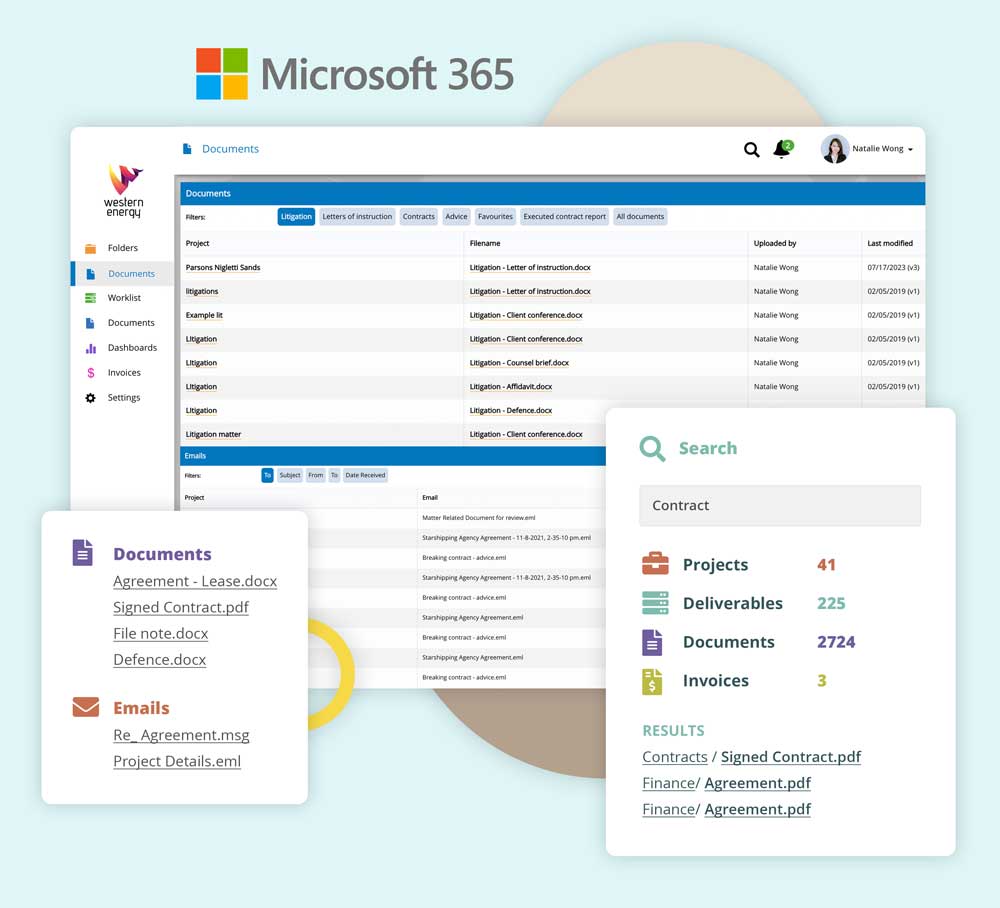
Working across multiple tools shouldn’t mean duplicated filing, lost attachments, or information trapped in personal inboxes. Dazychain integrates with Microsoft 365 (Word + Outlook), Gmail and DocuSign; so emails, documents and executed agreements are captured to the right matter, securely, with permissions and an audit trail.
- Create matters from Outlook or Gmail
- File selected emails and attachments to the matter in a few clicks
- Drag-and-drop MS Word documents into matters and workflows
- Send DocuSign envelopes from Dazychain and keep signing in context
- Auto-save executed DocuSign agreements back to the matter

Highly rated by legal teams using Dazychain to centralize and manage their legal matters.
Streamline your workflows with integrated email, documents and e-sign
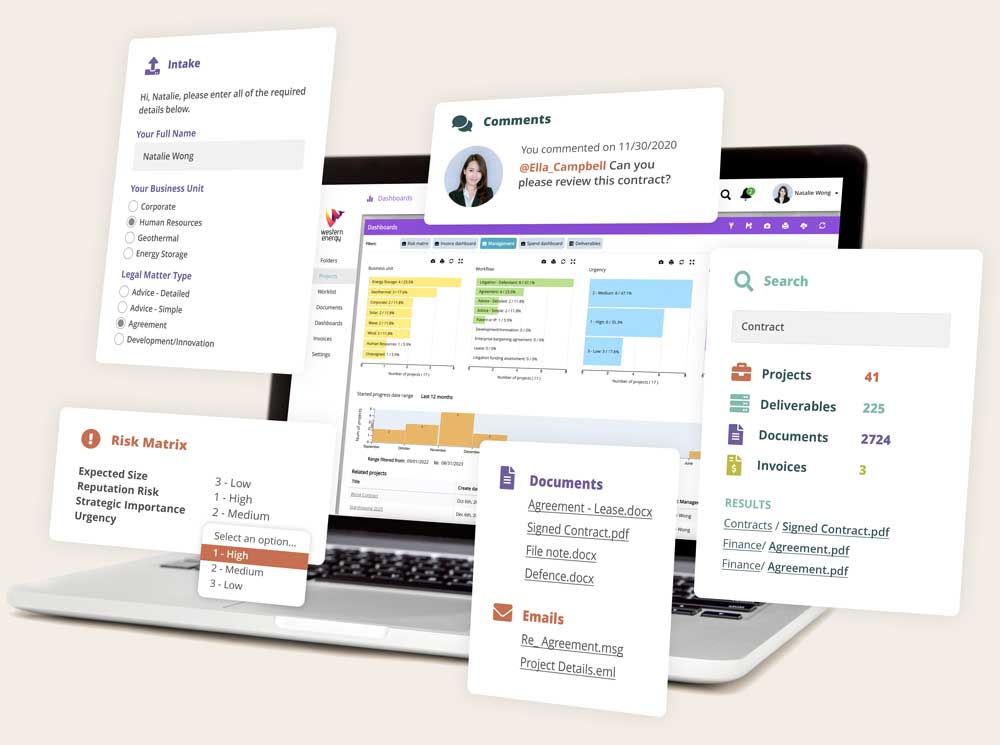
Dazychain integrations reduce manual filing and keep your matter record complete. Create matters from email, file selected messages and attachments into the correct matter (where access is permissioned), collaborate on Word documents without version chaos, and automatically store executed DocuSign agreements back to the matter they were initiated from.
Dazychain Integrates with
Connect Dazychain to the tools you already use. If you don’t see your system listed, contact us to scope an integration pathway.

Email integrations
Gmail integration
If your team uses Gmail, Dazychain connects your inbox to your matter workspace so important emails and attachments don’t stay trapped in personal email.
- Supports both Google Workspace and consumer Gmail
- Create a matter from a Gmail email (attachments are automatically selected)
- File selected emails and attachments to an existing matter by searching for the matter and clicking the file
- Filed emails and attachments are copied into Dazychain for secure storage and continuity
- Search inside email content and attachment content once filed (e.g., PDFs and Word documents)
- Access is permissioned by matter permissions, with an audit trail of filing activity
Note: Gmail filing supports selected messages (not full threads). Gmail integration does not support shared inboxes/delegated access or label/folder mapping.
Outlook integration
Powerful tools working together for legal professionals
For teams that live in Outlook, Dazychain makes it easy to capture email communication in the matter, without changing how you work.
“Dazychain has given our in-house legal team the ability to track and record matters efficiently and effectively. It provides a cost-effective solution to file management, risk management and track of legal expenditure.”
Kirrilly Gordon
Group Commercial and Legal Manager
SEE Civil
Microsoft 365 document integration
Microsoft Word integration
Microsoft Word is where much of the drafting happens. Dazychain keeps Word documents connected to the matter so teams can find the latest version without chasing attachments or “final_v9” files.
DocuSign integration
Use DocuSign with Dazychain
Send DocuSign envelopes from within Dazychain and keep signing workflows tied to the matter they belong to.
Identity and workflow integrations
Workflow and data capture
- Microsoft Forms: automates data workflows and streamlines matter-related processes.
- ServiceNow: creates matters when ServiceNow tickets are created to reduce manual data entry.
Note: These are primarily connect/export/import style integrations (not true two-way sync).
Single sign-on and identity
- Azure Active Directory (AAD): integrates with identities, groups, and directory data to support access control and governance.
- OneLogin: SSO + MFA and identity governance to help manage access and enforce security policies.
- Auth0: authentication with SSO/MFA, roles/permissions management, and compliance-friendly audit logs.
Integration set-up and optimization
We do it all so you don’t have to
Every legal team operates differently. Our onboarding specialists work closely and listen carefully to your needs to ensure we configure the system to enhance your existing processes, and maximize your current tools.
Secure by design
When emails and attachments are filed, they’re copied into Dazychain and governed by matter permissions, so only authorized users can access them. Dazychain also maintains an audit trail of filing activity for accountability.
For more details, see security
As a legal tech company, we’re always evolving
New integrations and cloud-based solutions for corporate legal teams
As a legal tech company, Dazychain is committed to evolving and innovating, always developing new ideas to leverage existing software and sophisticated tools for the benefit of our clients. We listen. We continuously improve our application and our processes. In fact, some of the best updates to the system are those suggested by our current customers.
If you have any requests for future integrations or other features, we’d love to hear from you.
Frequently asked questions about Dazychain integrations
Often, yes. Contact the team to scope an integration pathway based on your environment and workflow needs.
Access is controlled by matter permissions, and Dazychain maintains an audit trail of filing actions.
Outlook integration supports shared mailboxes. Gmail integration does not support shared inboxes/delegated access.
Yes. Users can search across email content and attachment content (e.g., PDFs and Word documents) once those items are stored in Dazychain.
Filed emails and attachments are copied into Dazychain so they’re preserved with the matter record and remain available even if inboxes change.
Dazychain files selected messages (not full threads) so teams can keep the matter record focused on the messages that matter most.
Yes. Users search for an existing matter and file selected messages and attachments with a click (fastest when no attachment renaming is needed).
Yes. Users can create a matter from an Outlook or Gmail email. Attachments are automatically selected to speed up filing.
Yes. Dazychain supports Outlook via a Microsoft 365 add-in and Gmail via a Gmail add-on, so users can create matters from emails and file selected messages and attachments to matters.
Integrations connect your email, documents and e-signature workflows to your matter workspace so communication and attachments can be filed, searched and governed in one place.