WORKFLOW AUTOMATION SOFTWARE FOR LEGAL AND HR TEAMS
Legal workflow software and HR workflow automation for in-house teams
Automate repetitive tasks while keeping humans in control.
Legal and HR teams manage work that follows patterns.
Dazychain workflow automation software helps in-house Legal and HR teams reduce manual administration, improve consistency and keep work moving. It is legal workflow automation software and HR workflow software in one platform.
It automates tasks and other repeatable steps while preserving professional judgement, confidentiality and control.
The problem: manual workflows slow teams down
Many Legal and HR workflows still depend on people remembering to:
These manual processes create delays, manual errors, inconsistency and risk.


What Dazychain workflow automation does
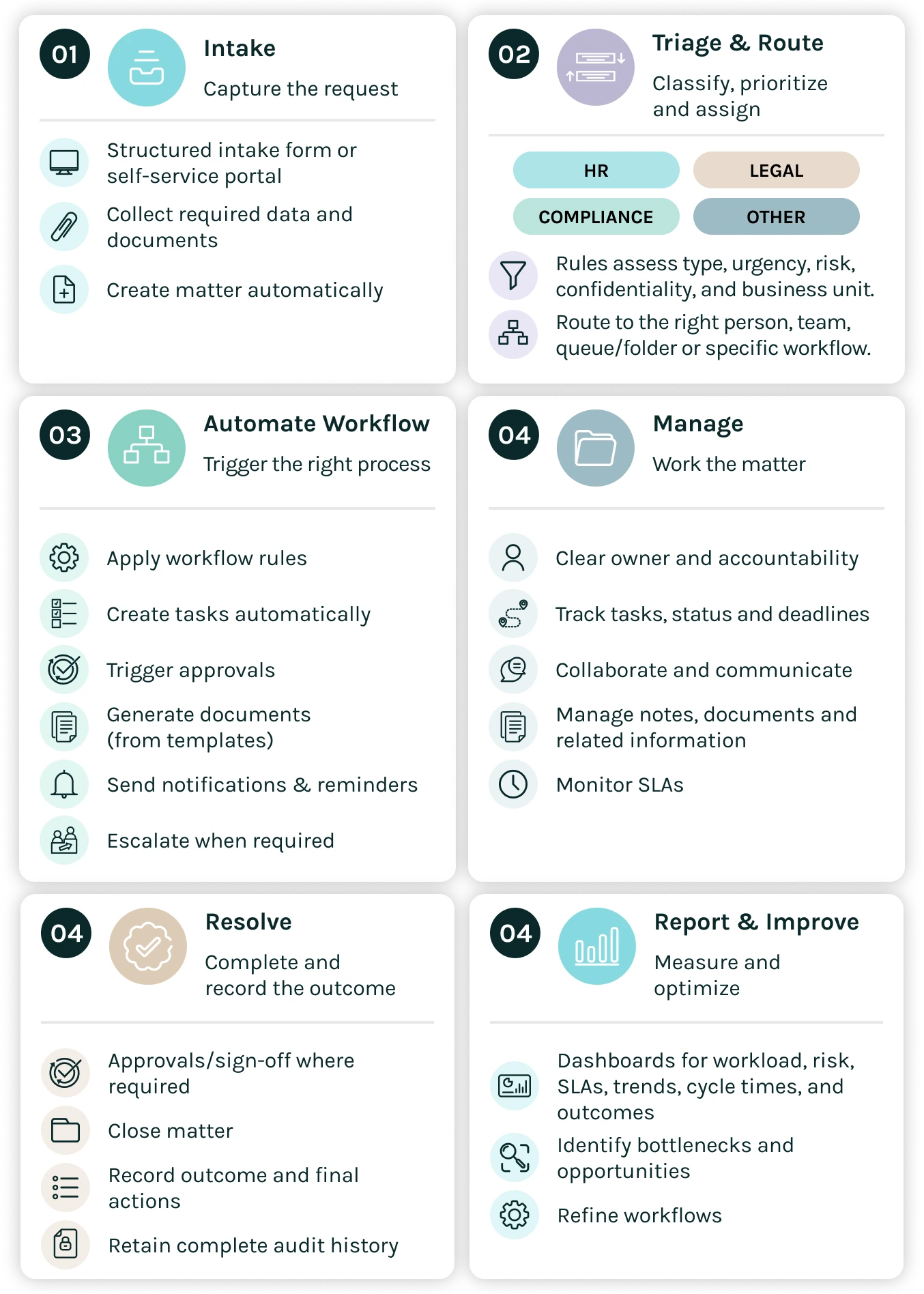
Dazychain helps teams automate tasks such as:
Workflow features
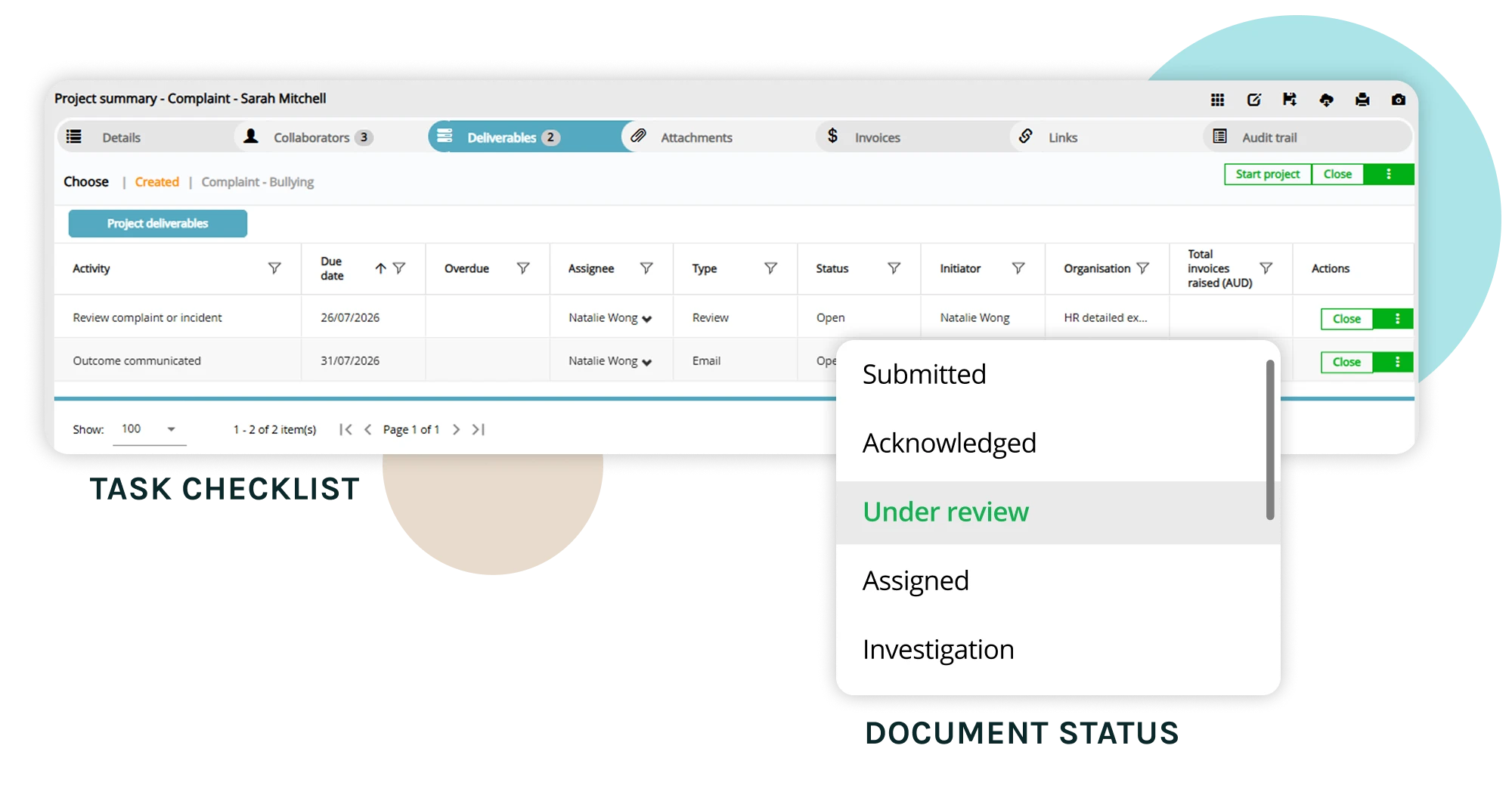
WORKFLOW FEATURES
Core workflow capabilities
FEATURES AND BENEFITS
Everything you need to automate work across matters
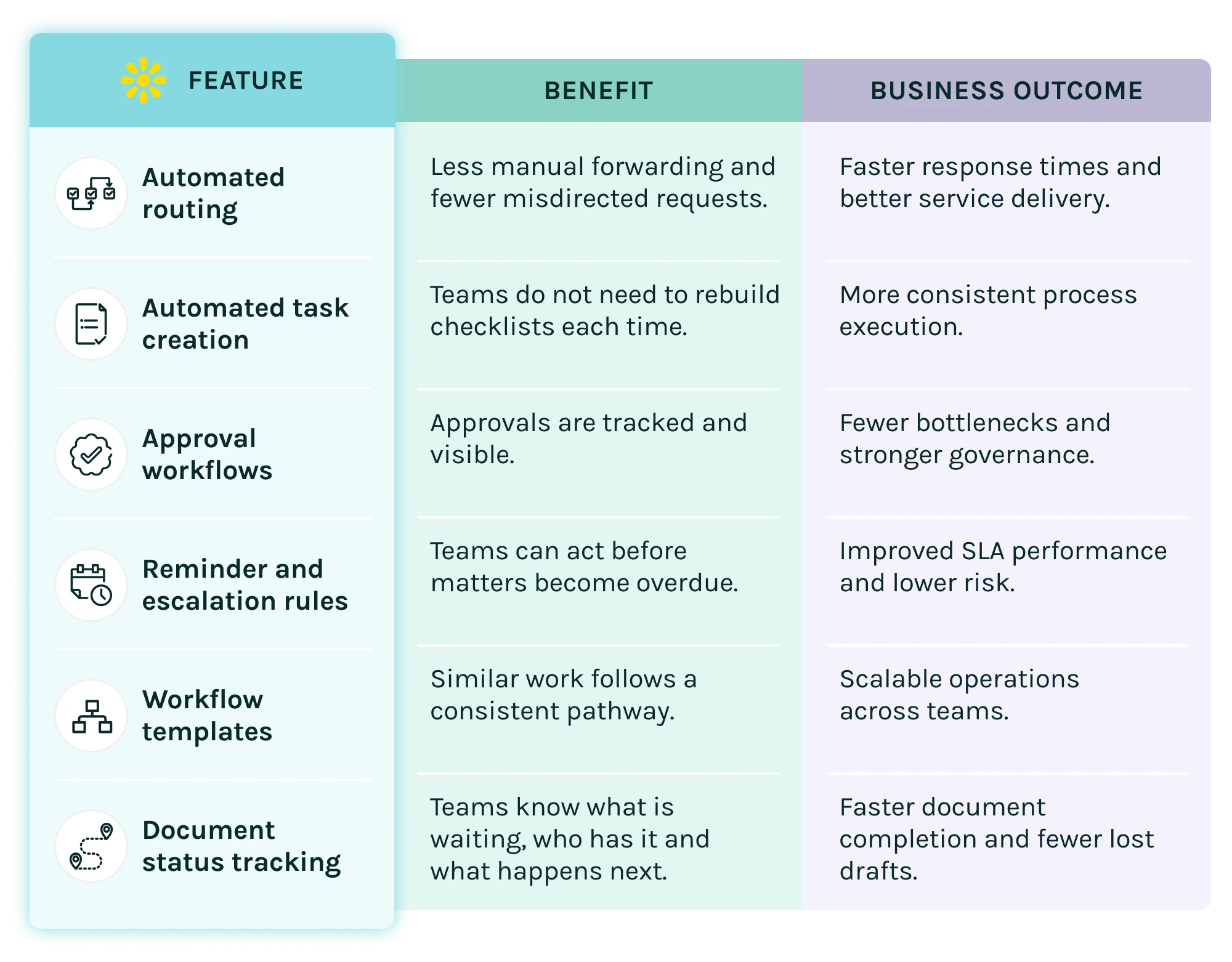
BENEFITS
What Legal and HR teams gain
BUSINESS OUTCOMES
What changes when workflows are automated
USE CASES
Where teams use workflow automation every day
Frequently asked questions about workflow automation in Dazychain
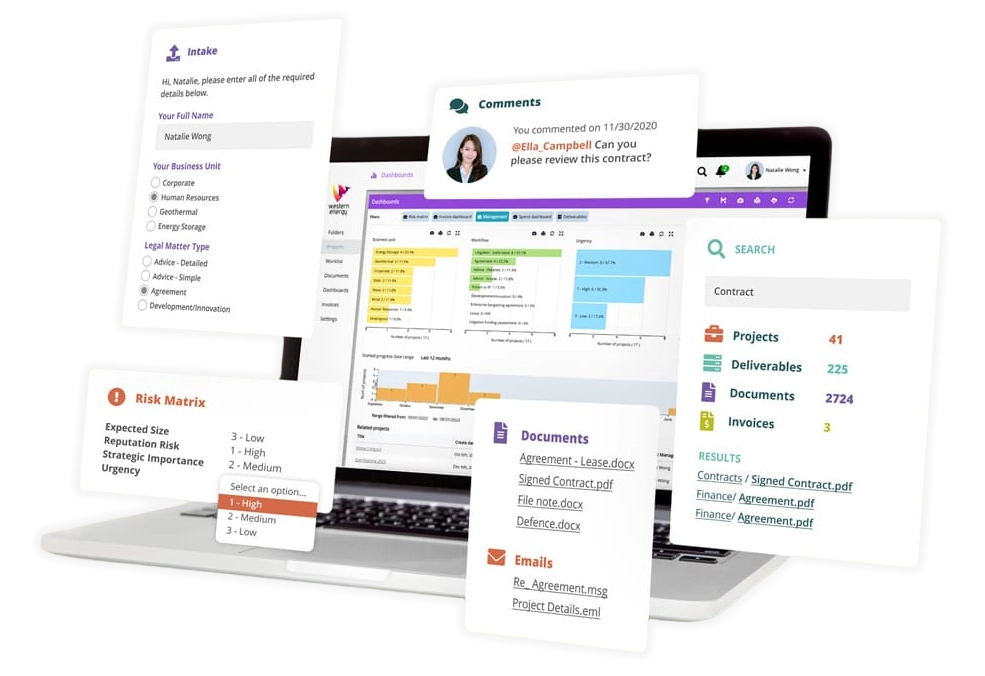
A typical lifecycle starts with creating or receiving a new matter or contract request. From there, users can log key details, upload documents, assign tasks, track deadlines, and collaborate with stakeholders. As work progresses, all emails, documents, and notes are captured in one place. All work is reportable through Dazychain’s dashboards providing a clear, end-to-end record of the entire lifecycle.
Dazychain provides full guidance and support for all customisations, including fields, templates, workflows, and dashboards. Your team can receive training to make updates independently in the future, while all changes remain fully supported and included as part of your subscription giving you flexibility with peace of mind.
Legal intake software improves legal operations by creating a consistent process for how work enters the legal department. Requests can be captured through structured forms, automatically triaged based on predefined rules, and converted into matters or workflows. This reduces manual coordination, improves transparency across the team, and provides reporting on legal demand across the organisation.
Legal workflow automation software automates repetitive tasks in legal work, such as routing work, assigning tasks and triggering approvals. Dazychain automates the repeatable steps for in-house Legal and HR teams while preserving professional judgement, confidentiality and control.
Legal workflows include legal advice requests, contract creation, internal client self-service documents, contract review requests, contract approval workflows, procurement legal review, external counsel instruction, litigation task tracking, governance review, privacy and compliance requests, and legal reporting updates. HR workflows include HR intake and triage, employee request routing, workplace complaint workflows, HR investigation tasks, performance management stages, payroll request handling, employment contract creation, recruitment approvals, onboarding tasks, offboarding checklists, protected disclosure workflows and employee relations case workflows.
Routing rules send each request to the right place. For example, if the request is a contract review and the contract value is high, it can be assigned to senior in-house counsel and a contract approval workflow created. Matters can be routed by matter type, team, business unit, region, location, priority, risk rating, confidentiality level, contract type, HR issue type, legal area, required approval or assigned group. Tasks are created automatically when a matter is opened, moved to a new stage or reaches a due date.
Yes. Dazychain uses document automation to let internal clients generate simple contracts, and HR teams can use employee and case data to generate employment contracts and letters from templates. Documents are then tracked through statuses such as draft, internal review, external review, final update, execution and completed.