


Optimize Your Legal Intake Workflow: A Practical Guide for In-House Legal Teams

This guide explains how modern legal intake and triage workflows should operate in in-house legal teams. It covers:
What legal intake means today
Why traditional intake methods fail
How structured triage works
Where AI adds value
How to scale intake sustainably
An email here. A Teams message there. Someone grabs you after a meeting and says, “Can you just have a quick look?” These are all the ways legal requests are coming into legal departments. It’s not neat. It’s not effective. And legal intake is where a lot of in-house lawyers are losing time.
Eventually, this messy legal request process becomes normal. And then it becomes a problem.
All contract reviews, compliance questions, prospective clients or “urgent” requests have to start somewhere. Whether formalized or not, intake is the starting point for all legal matters. When it’s loose, work slows down, and most teams only realize when their volumes increase or something slips through.
So what is legal intake?
It’s simply how legal work enters the department. An effective legal intake process receives, captures and logs all requests consistently. It offers one place where requests come in and makes providing all the necessary details as easy as possible. Intake is also called the legal “front door.”
More and more, technology is involved. A web form or software captures the key information in the same way every time. All of that information then feeds directly into the triage process, matter creation, and matter management. That means decisions can be made effectively and requests can be actioned quickly.
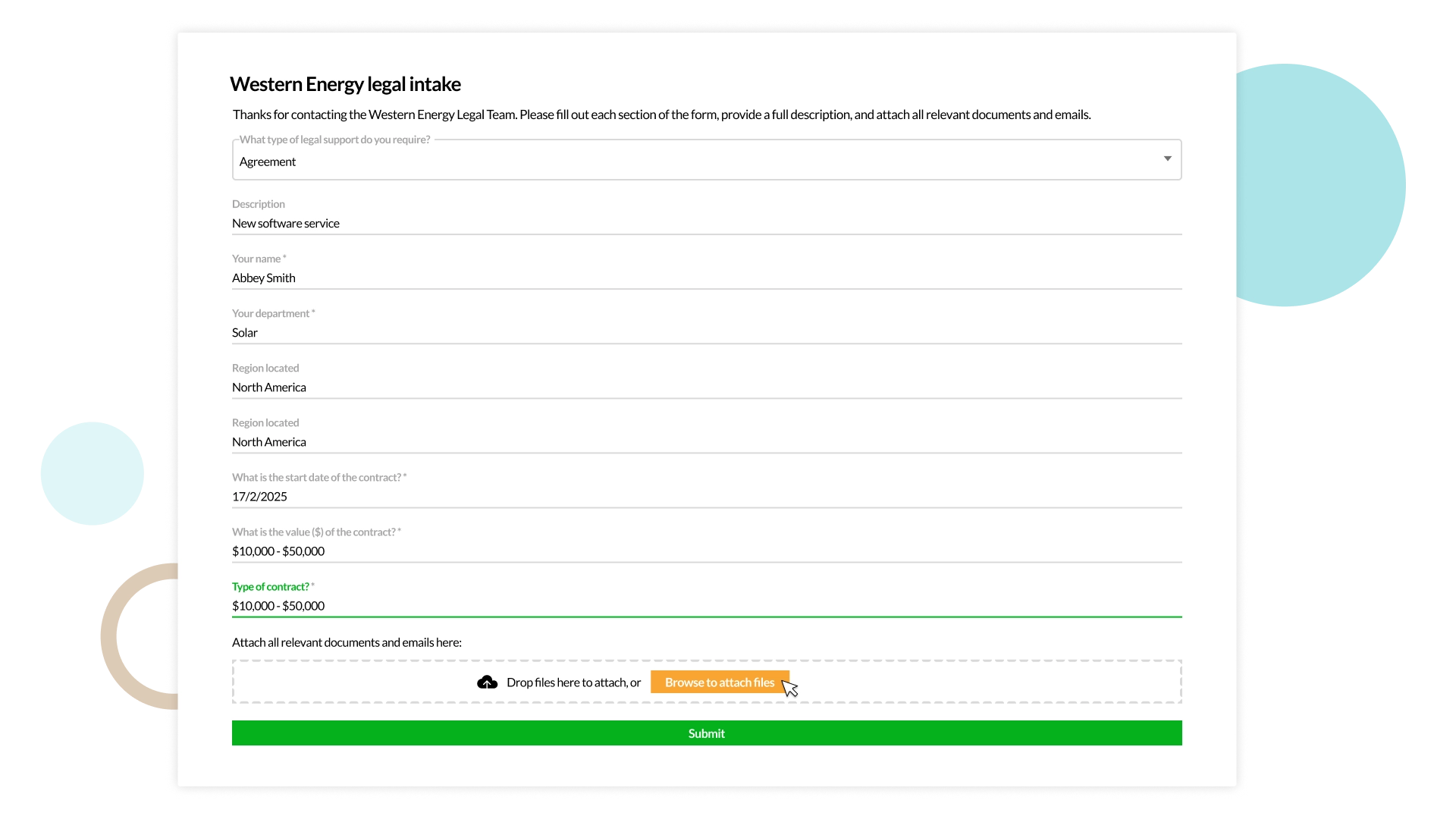
Example in IntuityAI by Dazychain
- Intake enables internal clients to submit a request to the legal team with simple, standardized forms
- Information capture is tailored by request type, ensuring required details and documentation are collected upfront, minimizing back-and-forth
- Updates, documents, and comments can be shared via the connected IntuityAI portal, keeping everything centralized
Why traditional intake methods break down
Ad-hoc intake is slow to reveal its inefficient ways. As requests arrive where people know they’ll get a response: inboxes, Teams, Slack and verbal conversations, it becomes difficult to keep track of them all. While emails are piling up, spreadsheets are lagging due to simultaneous changes. Web forms are created left and right, and the details of a verbal request are forgotten about by the time you get back to your desk. This kind of legal request management creates more problems than it solves.
When requests arrive in bits and pieces, lawyers go back-and-forth in conversations with internal clients, aiming for clarification. The real costs show up later. Delays in response times mean stakeholders feel ignored, risks are spotted late, lawyers spend too long reconstructing context, and no one sees the full picture.
With no structured format, there’s a lack of visibility: no narrative and no proof of value. It’s impossible to explain demand, justify resourcing, spot trends, or identify patterns worth automating. A legal intake system tidies things up, putting one source of truth at the heart of the equation and giving legal teams control again.
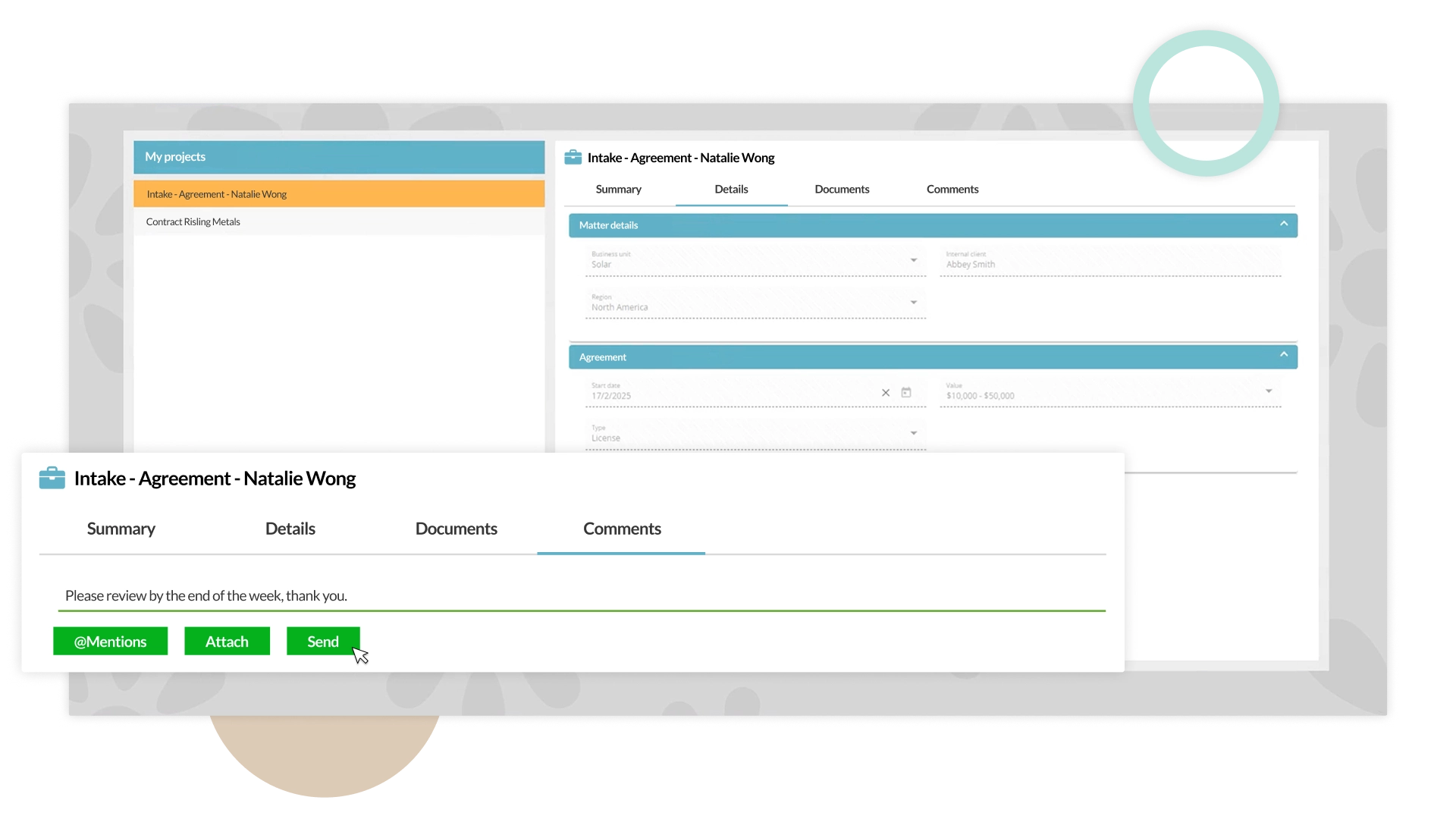
Example in Dazychain
- Instead of emails, IntuityAI uses standardized forms by request type inside the platform with updates, documents, and communications stored in one place
- Documents are tied to a specific request or matter, so nothing gets lost in inboxes, long chat threads, or attachments
- Each intake request is configured with required fields, including specific documents, dates, or departments
- Internal clients can’t submit their request until mandatory items are completed, reducing follow-ups, clarifications, and rework
- Matters are created automatically using the information from the intake form, then assigned to the nominated legal team member
Modern intake and triage workflows
Tools differ from team to team, and from business to business, but the legal intake process and its key stages should always look the same.
1. The request is submitted
Business users, whether they’re from the finance, marketing, communications or people and culture team, submit legal requests through a single, accessible channel. It has to be simple enough that people actually use it, with questions adapting based on request type. The queries for legal professionals differ depending on whether it’s a contract review, compliance advice or employment issue that’s about to land on their desk.
2. Gathering the information
A simple form collects all the basic information upfront. Some questions apply to all matter types: requester’s details, request summary, deadline, relevant documents and risks. Further questions depend on what legal help the submitter needs. No matter what the case, this single entry point saves hours of follow-up for lawyers, so legal resources and time are used wisely.
3. Triage and prioritization
Risk, urgency and business impact are all considered in the intake process. Automated workflows flag keywords, deadlines or data categories much quicker than manual processes, and provide the objectivity needed to decide what’s “urgent”. Of course, human judgment and legal expertise still matter, but an automated triage workflow reduces administrative work.
4. Routing and ownership
Work is assigned based on expertise and capacity. The intake process delivers high-risk issues to your in-house specialist. A routine contract is delivered to a junior team member. When everything goes to the right person the first time around, there’s no question about who owns what.
5. Matter creation and tracking
Every request turns into a trackable matter. That means there are no more duplicate files or lost documents. You can link everything, assign unique IDs, ping internal clients with regular updates, and handle request surges without overwhelming team capacity.
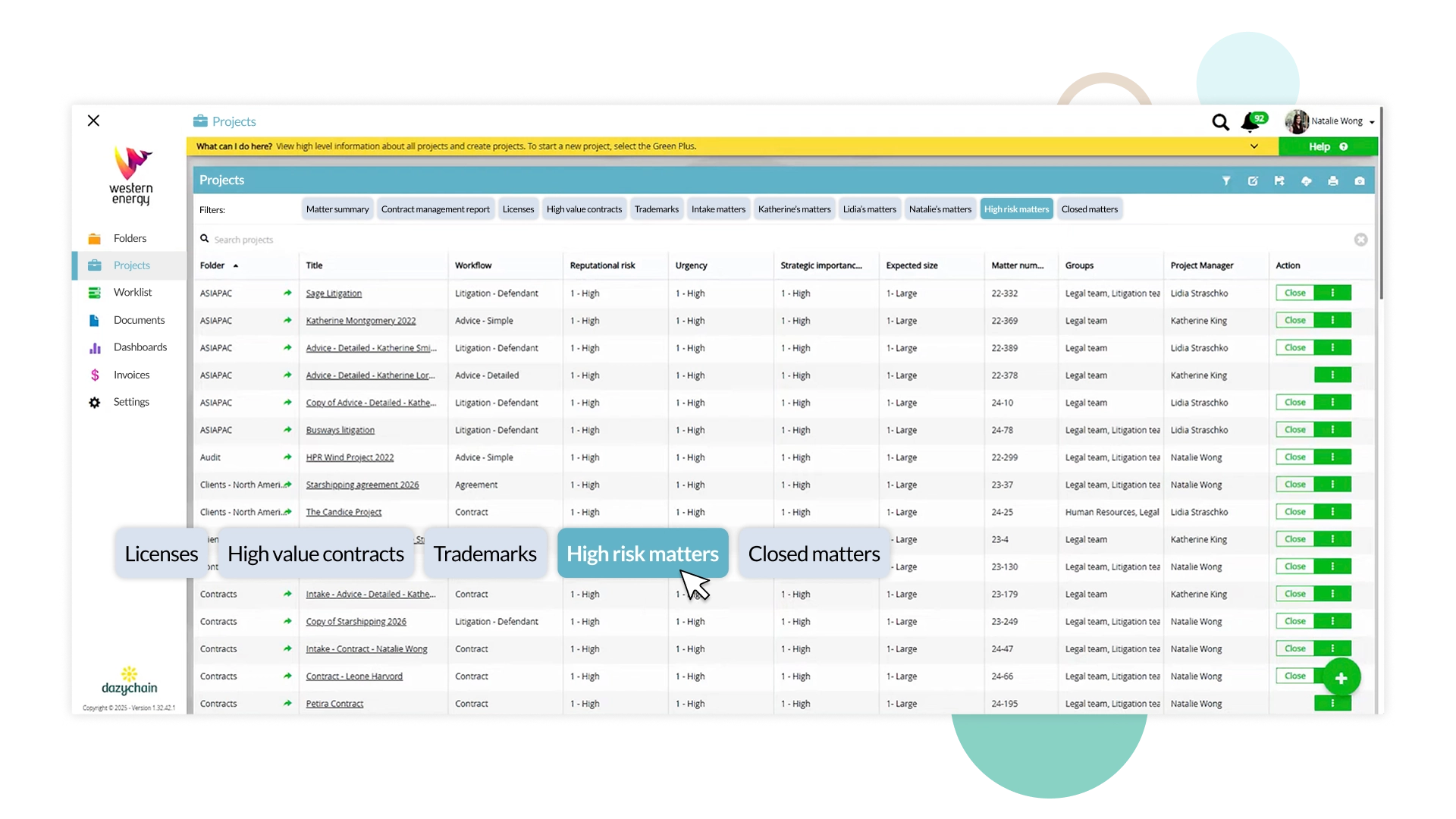
Example in IntuityAI by Dazychain
- Matters in IntuityAI are automatically created and triaged based on pre-defined workflows and request types. This ensures matters are routed consistently without manual triage.
Triage, prioritization and routing
On any given day, legal isn’t short on incoming legal requests. It’s time that’s in short supply. Triage stops everything from feeling equally urgent. It forces trade-offs and prioritization, as an email marked “return to me ASAP” isn’t automatically the priority if the risk is low, and a slower-moving issue with regulatory exposure is identified as the matter needing immediate attention.
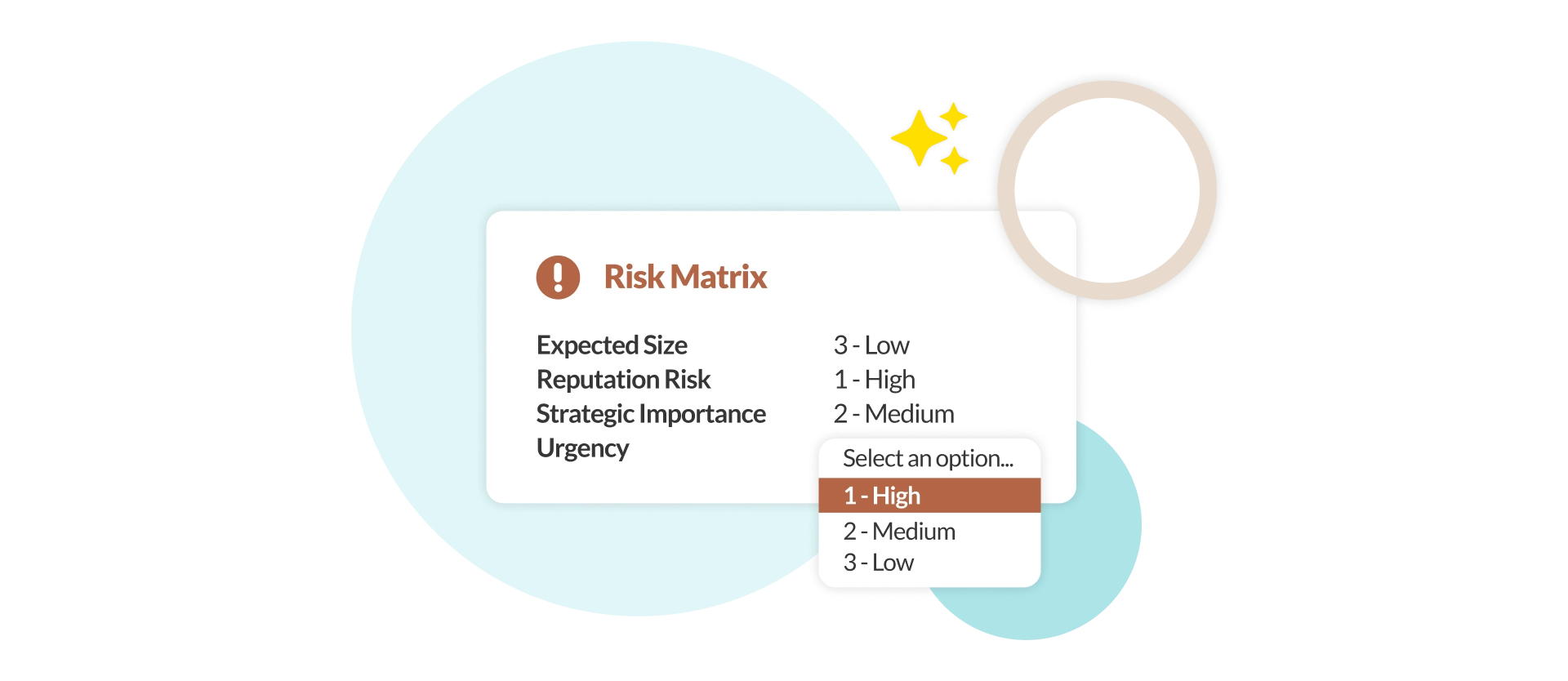
Example in IntuityAI by Dazychain
- Internal clients define the urgency of the request which can be altered by the legal team based on their assessment.
- Urgency ratings captured as part of the intake inform:
- Approvals
- Prioritization
- Escalations
- Urgent matters are automatically surfaced in reports or dashboards, enabling teams to quickly identify, prioritize, and escalate time-critical requests.
Contract playbook comparison and the intake process
The purpose of a contract playbook is to provide a way to compare an externally provided contract to your organization’s current preferred contract clauses. A playbook is a structured set of clause rules, risk thresholds, and approval logic that enables IntuityAI to automate contract review and negotiation in line with your organization’s legal or procurement policies.
When a third-party contract is received via intake, the IntuityAI contract playbook comparison feature enables rapid assessment of the contract against the internal contract playbook, which includes internal legal policy, flags risk, recommends approved alternatives, and guides negotiations in real time, dramatically reducing review time, improving consistency, and accelerating deal execution without increasing legal risk.
Example in Dazychain
IntuityAI analyses the external contract and provides an output of where the contract differs from the playbook, enabling rapid comparison and negotiation processes.
Why use a contract playbook comparison?
The benefits of contract playbook comparison include:
- Instant policy alignment by comparing third-party contracts to the internal contract playbook
- Faster negotiations applying pre-approved positions in real time
- Consistent legal outcomes ensuring every contract follows the same rules, thresholds and standards
- Real-time risk visibility based on your organization’s policies, not a generic AI
- Reduced review effort, escalating only true exceptions
- Create clear audit trails
- Scale as your business grows
Where AI fits – and where it doesn’t
Technology has become a necessity within legal operations. It’s used to automate repetitive tasks, track metrics, manage matter intake and—all in all—save time for lawyers who already feel there aren’t enough hours in the day. Artificial intelligence (AI) is still rising in popularity. In-house legal teams are turning to the tech to improve their service delivery and reduce the burden of administration.
AI has proven to be a powerful tool when summarizing information, comparing documents, routing requests to the right expertise and extracting key data. But it doesn’t replace the knowledge-and-experience-based judgment of lawyers.
A decision involving ethics or risk appetite requires oversight. There are nuances and context that you can’t trust AI to pick up on every time, so keeping a lawyer in the loop is crucial to verify output.
Visibility and reporting from intake onward
As General Counsels are taking on more and more responsibility, there’s a push for demonstrating their department’s value and worth. Data drives measurable outcomes and becomes solid evidence of successes.
Example in IntuityAI by Dazychain
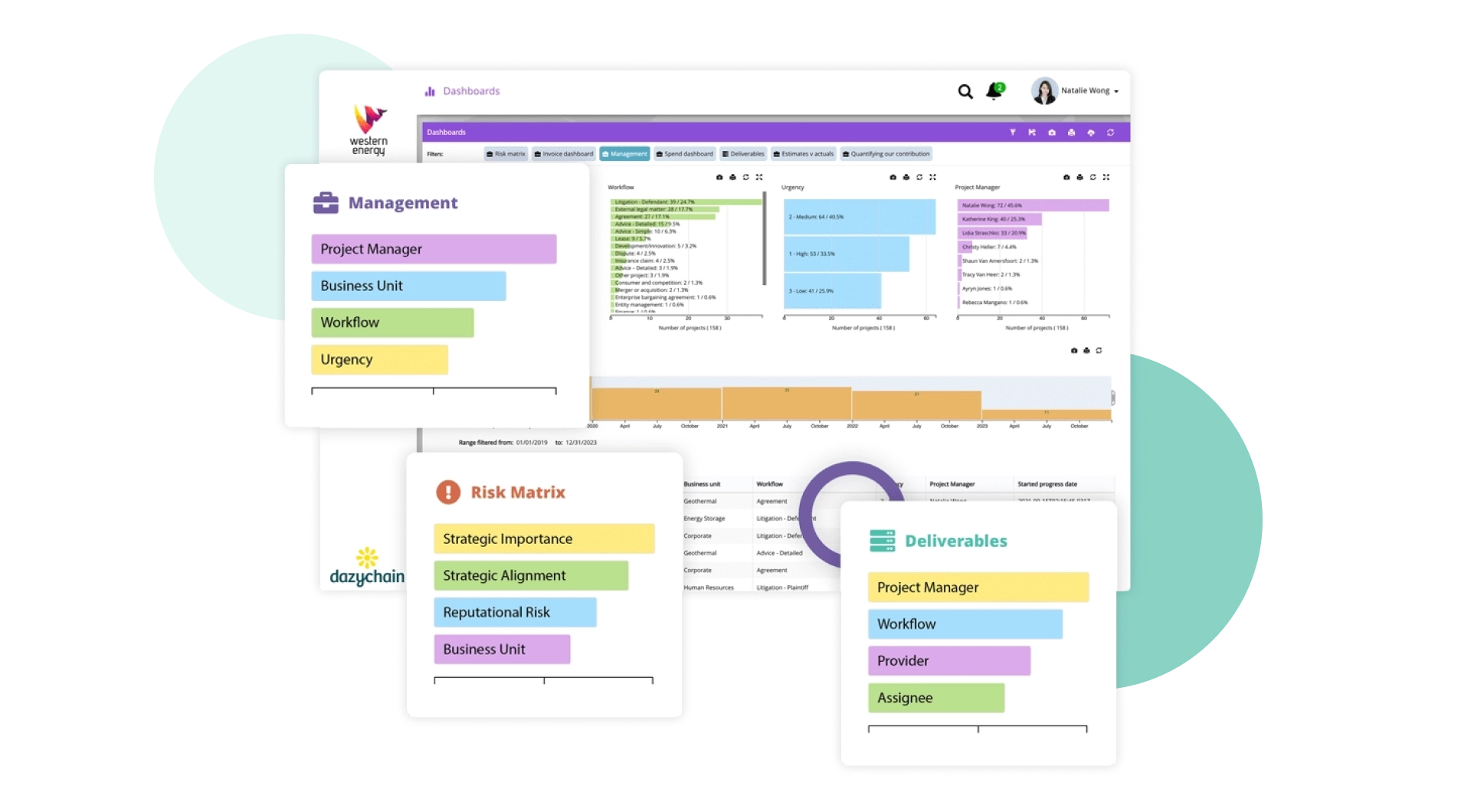
- Because information is captured through structured intake, IntuityAI can generate reports and dashboards providing insights into:
- Volume of requests by type, region, or business unit
- Urgent vs standard matters
- Status of matters (new, in progress, awaiting response, completed)
- Outstanding documents or missing information
- Turnaround times and bottlenecks
- Reports update in real time as new intake data is submitted.
- With structured data, teams gain immediate visibility across all matters, including:
- What work is coming in and from where
- Who owns each matter
- What stage each matter is at
- Which items need attention or escalation
Instead of searching emails or spreadsheets, teams work from a single, shared view of the truth.
Tips and guidance: Legal intake and triage in practice
A streamlined process simplifies intake and triage. Managing requests happens in the background, and lawyers can focus on the work that requires their expertise.
What information should a legal intake form capture?
At its most basic level, an intake form should cover:
- Internal client name
- Summary
- Deadline
- Relevant documents
- Risks
To get the most out of your intake process, intake forms should include conditional questions, adapting depending on the type of request.
Example in IntuityAI by Dazychain
IntuityAI’s intelligent intake forms dynamically adapt based on the type of work requested. When a business user selects a matter category, the form automatically adjusts to capture the specific information required for that work type — ensuring legal receives complete, structured data from the outset.
For example, if the matter relates to litigation, IntuityAI prompts targeted questions such as: What type of litigation is involved? Which jurisdiction applies? Are we the plaintiff or defendant? What is the next procedural step? Who are the relevant stakeholders? Based on these inputs, IntuityAI creates a structured litigation matter and routes it directly to the nominated team member responsible for litigation.
If the request relates to a contract, the form adapts to gather contract-specific details, including contract type, key dates, signatories, important clauses, risk considerations, and other relevant information. A complete contract matter is then created and assigned to the appropriate contract manager, ensuring efficient handling and clear accountability.
For designated self-service matters — such as non-disclosure agreements — internal clients complete the guided form and answer conditional questions. The system instantly generates a compliant, approved document for immediate download. At the same time, a matter is automatically created in the background and stored in a dedicated self-service folder within IntuityAI.
If the NDA later evolves into negotiations, a broader contract, or even a dispute, the legal team retains full access to all original data and documentation. The matter status can be updated, workflows modified, additional information added, and supporting documents attached — preserving continuity and institutional knowledge at every stage.
How long should triage take?
Volumes and context can change the timeline. But with IntuityAI, internal clients are notified immediately that their matter was received and triaged. Many in-house teams aim for a one- to two-day turnaround for the intake process. Simple requests are prioritized and routed within minutes.
Example in IntuityAI by Dazychain
The moment an internal client completes an intake form and clicks ‘Submit,’ a matter is automatically created in IntuityAI. The request is instantly triaged according to predefined rules, routed to the appropriate legal team member, and acknowledged via email confirmation to the business user.
Matters are assigned dynamically based on workflow type, urgency, confidentiality level, business unit, geographic location, or any other attributes defined by the legal team. This ensures work is directed to the right lawyer the first time, reducing delays and manual handoffs.
IntuityAI is designed for scale and flexibility. Users can utilize unlimited workflows, triage rules, work types, and nominated reviewers to reflect evolving organisational needs. As demand grows or structures change, the system can adapt, without adding administrative complexity.
How do teams prioritise requests?
Clear definitions embedded in the triage process ensure consistency and objectivity, removing bias from the equation and helping justify decisions when asked by stakeholders or senior leaders. Even though a request is marked as “urgent”, it doesn’t always supersede a request with a longer timeline but more regulatory risk. Sometimes, an urgent matter for an internal client may not be urgent for the legal team.
Automation goes a long way in filtering out the standard requests and highlighting those that require human consideration, but lawyers often need to review the context and nuances to truly prioritize their workload.
Example in IntuityAI by Dazychain
When a business user submits a matter through IntuityAI’s guided triage process, they provide key information such as perceived risk level, contract type, business unit, urgency, and other relevant factors. This structured intake ensures consistent, high-quality data is captured from the outset.
IntuityAI then applies intelligent triage rules to route the matter automatically to the appropriate lawyer based on the defined workflow. Upon review, the assigned lawyer can validate or adjust risk categorisation, priority, or routing based on their professional judgement.
Human expertise remains central to every IntuityAI workflow. While automation accelerates routing and improves consistency, legal professionals retain full oversight and can intervene at any stage to refine decisions, reassign matters, or adjust classifications as needed.
This balanced approach ensures efficiency without sacrificing governance, risk control, or professional judgement.
Can intake workflows scale as the team grows?
When a team grows, so does the scope, and demand usually follows quickly. Digital intake and triage workflows absorb a lot of the pressure from this growth. Repeat work becomes a task for self-service options, and certain requests don’t need legal review at all. This can be handled by IntuityAI’s self-service function.
Example in IntuityAI by Dazychain
Surges in high-volume, repeatable work — such as NDAs, new account contracts, standard customer agreements, and conflict of interest forms — can be managed through fully automated, rules-based workflows and delivered via secure self-service. Using approved templates and embedded logic, IntuityAI enables business users to generate compliant documents instantly, without requiring direct legal involvement.
Each request is automatically recorded, with a corresponding matter created and retained in the system. If the document needs to be updated, extended, or escalated, legal can seamlessly reopen the matter with full history and context preserved.
By implementing structured intake and self-service through IntuityAI, corporate legal teams gain complete visibility over demand. Built-in reporting provides clear metrics on intake volume, turnaround times, automation rates, and self-service utilisation. This allows legal leaders to demonstrate measurable efficiency gains, improved service levels, and a proactive commitment to innovation and automation to the executive team.
How does automation support compliance?
Automation boosts consistency, ensuring the same rules apply every single time. Consistent data capture means there’s an audit trail for every request and its journey through the legal department.
Example in IntuityAI by Dazychain
Automation strengthens compliance by embedding governance directly into legal workflows. With IntuityAI, the same rules, data requirements, and risk frameworks are applied consistently every time.
Structured intake ensures complete and accurate data capture, while automated triage routes matters according to work types. Required approvals cannot be bypassed, and every action is recorded, creating a clear and defensible audit trail.
For example, self-service documents use only approved templates and clauses and all matters are logged, tracked, and reportable.
Built-in dashboards provide real-time visibility into risk levels, SLA performance, approval times, self-service utilisation, and workload distribution. This enables legal leaders to demonstrate measurable compliance control, operational efficiency, and governance transparency to the executive team and board.
Sustainable Legal Operations
At its core, this conversation is not really about software. It’s about sustainability.
Too many capable lawyers quietly absorb growing volumes of work, expanding regulatory demands, and rising executive expectations, convincing themselves that strain is simply part of the profession. Spreadsheets multiply. Inbox flags accumulate. Evenings disappear. The system creaks, and the individual compensates.
But lawyers should not have to function as shock absorbers for broken processes.
If matter management depends on personal vigilance rather than structured visibility, the cost is paid in stress, fatigue, and long-term health. No team should have to live in a constant state of low-grade panic just to maintain control. No general counsel should lie awake mentally reconciling risks that a properly structured system could surface in seconds.
AI, when embedded thoughtfully through platforms like IntuityAI, is not about replacing judgment. It is about relieving unnecessary cognitive load. It is about giving legal professionals back the clarity and control that allow them to practise at their best.
The future of lean legal teams should not be burnout disguised as resilience. It should be intelligent systems that carry their share of the weight, so lawyers can focus on judgment, strategy, and leadership without sacrificing their wellbeing in the process.
Interested in exploring Dazychain’s solutions?
Table Of Contents:
- So what is legal intake?
- Why traditional intake methods break down
- Modern intake and triage workflows
- Triage, prioritization and routing
- Contract playbook comparison and the intake process
- Where AI fits – and where it doesn’t
- Visibility and reporting from intake onward
- Tips and guidance: Legal intake and triage in practice
- Sustainable Legal Operations